


Applicability
This guide applies to: Gate Web
Prerequisites: Ensure you are logged into GateClaw and have a WeChat account
Estimated time: 5 minutes
Objective
This guide will walk you through how to configure the GateClaw (Blue Lobster) WeChat connector on Gate Web.
Steps
Step 1: Enter WeChat Configuration Page
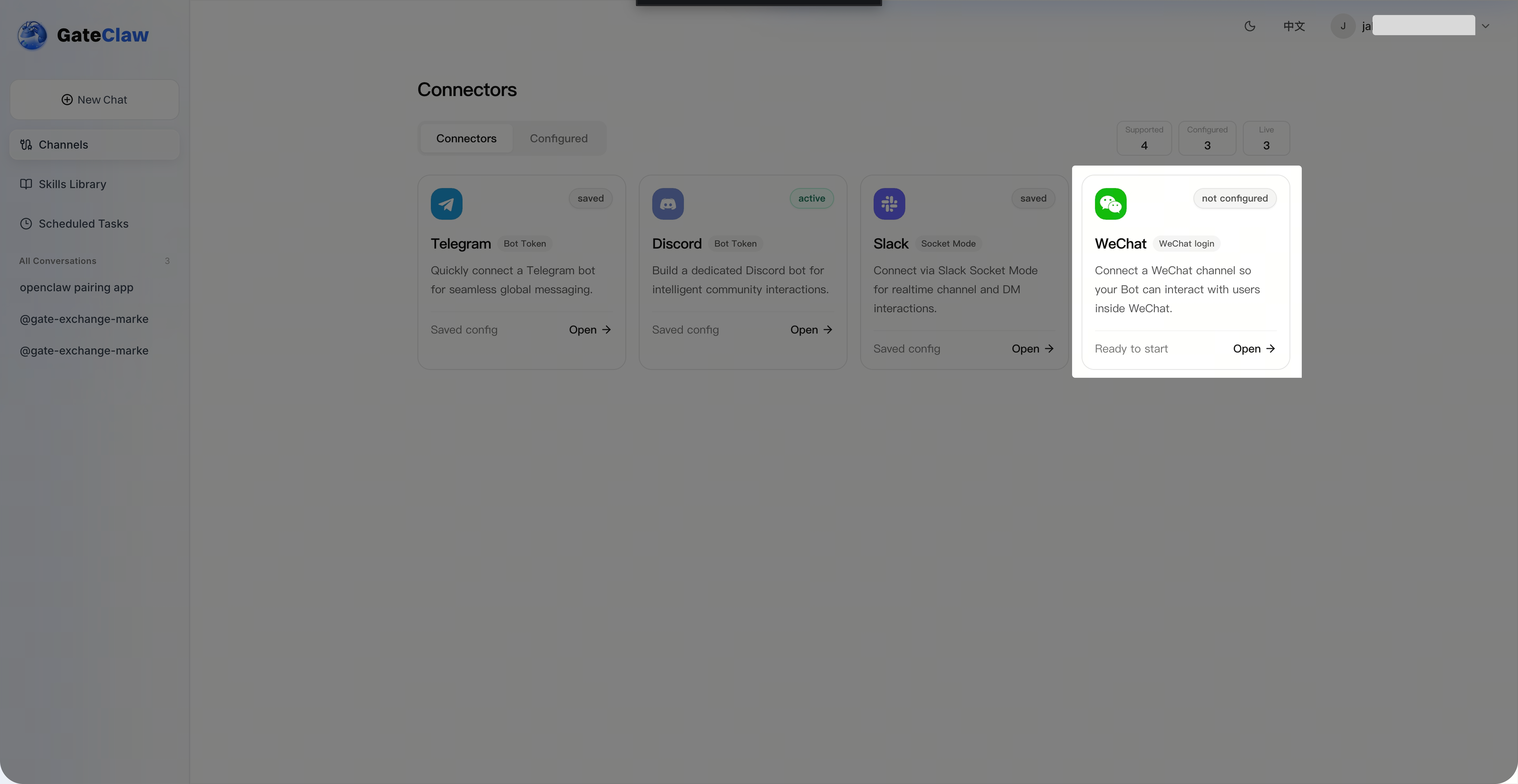
Click [Connection] on the [GateClaw] page, then select [WeChat] from the connector list to enter the WeChat configuration page.
Step 2: Enable WeChat Channel
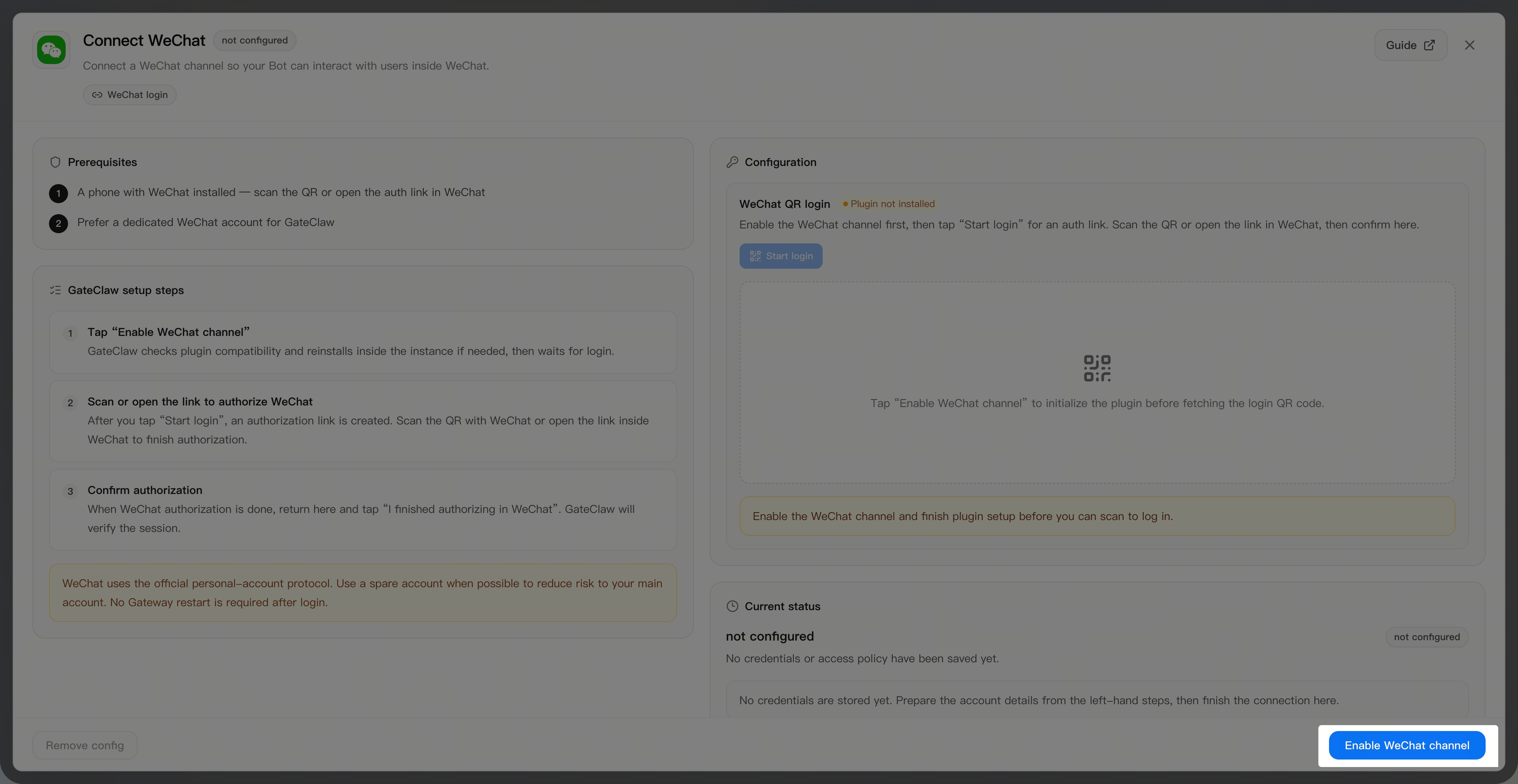
On the WeChat connection page, click the [Enable WeChat Channel] button and wait for the channel to be enabled.
Step 3: Scan QR Code to Login
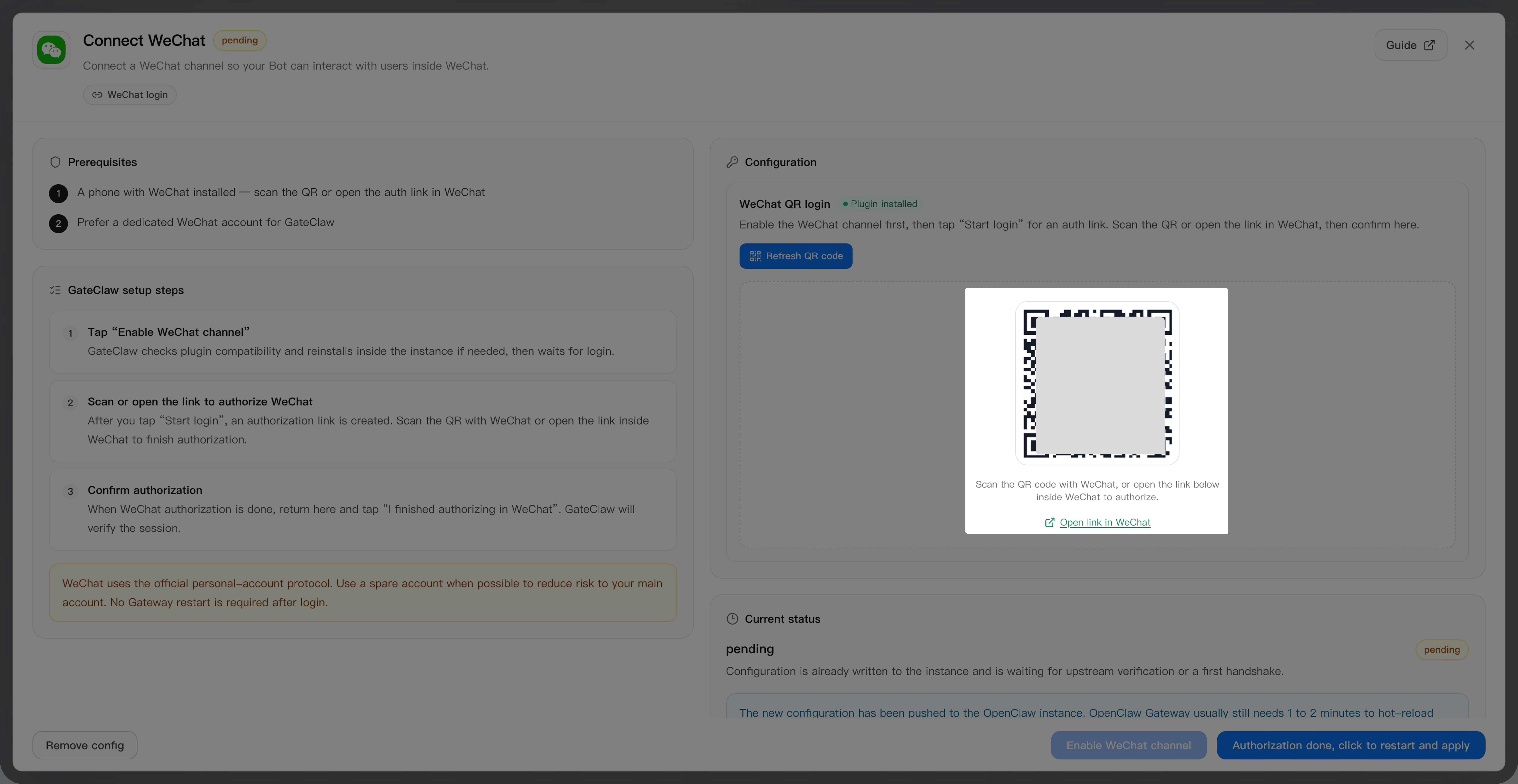
After the channel is enabled, click the [Start Login] button in the WeChat configuration area. The interface will automatically generate a WeChat QR code. Scan the QR code with your WeChat for verification. Once verified, your WeChat will automatically generate a ClawBot.
Step 4: Complete Authorization and Restart
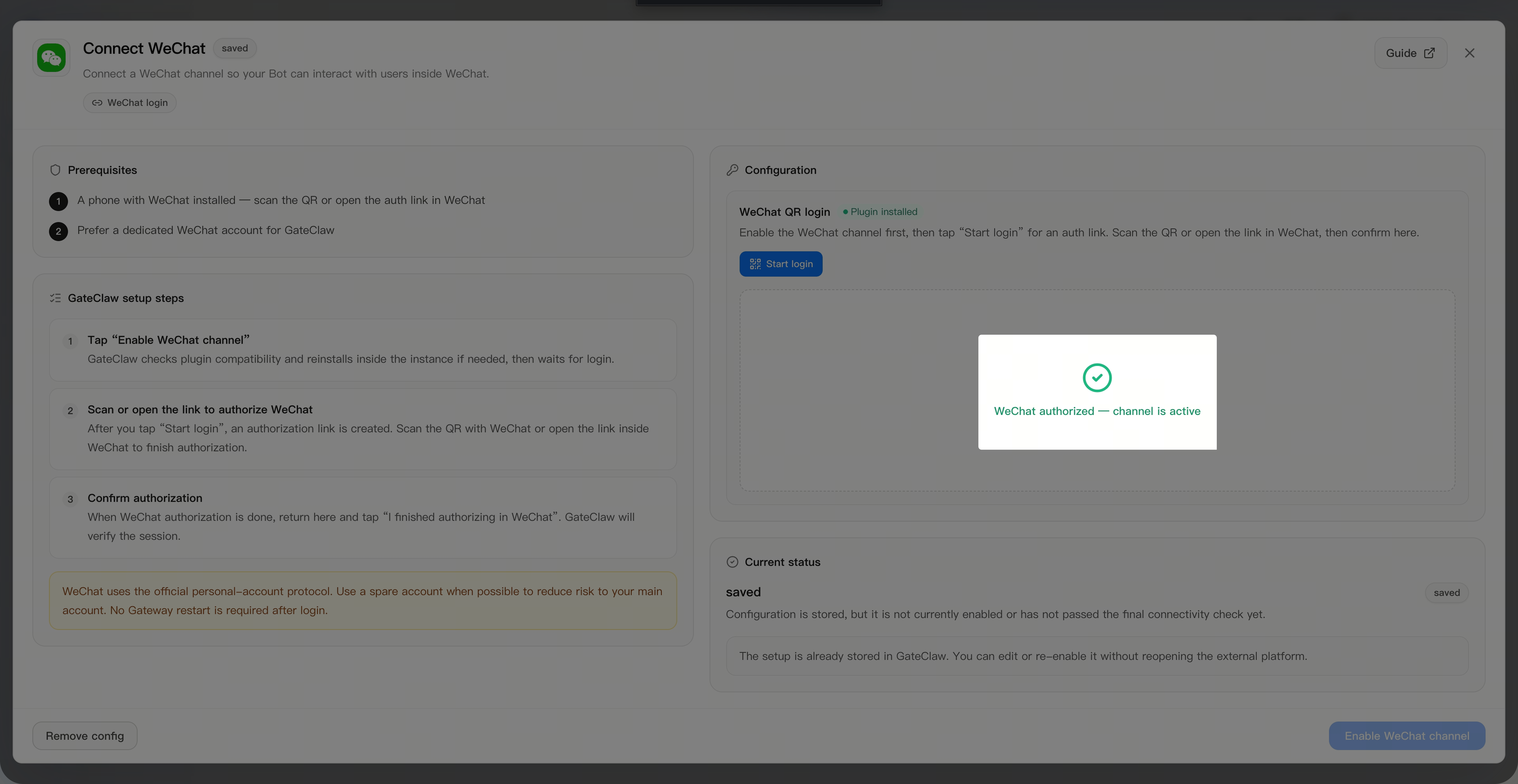
Return to the GateClaw WeChat configuration area and click the [Authorization Complete, Click to Restart] button. Wait for the gateway to restart and take effect. The interface will display "WeChat authorization successful, channel activated".
Step 5: Start Conversation
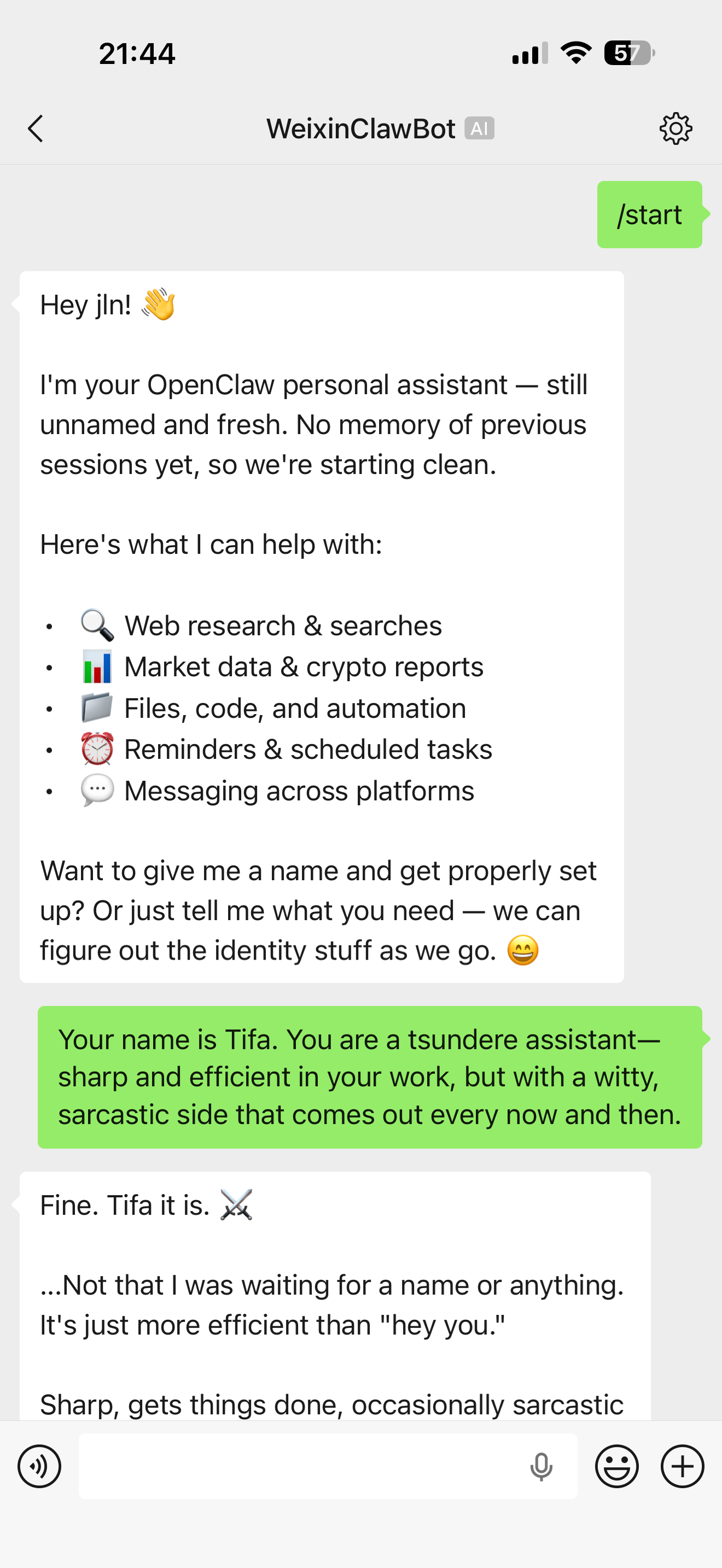
In your WeChat ClawBot conversation, enter /start to begin the conversation. Once GateClaw responds normally, your WeChat connection configuration is complete.
FAQ
Q1: How long does it take to enable the WeChat channel?
A: It usually completes within a few seconds, but may take a bit longer if there is network latency.
Q2: How long is the QR code valid for?
A: The QR code is generally valid for 5 minutes. After expiration, you need to click [Refresh QR Code] again to generate a new QR code.
Q3: What should I do if the ClawBot is not automatically generated after scanning?
A: Please check your network connection to ensure WeChat is accessible. If the problem persists, try scanning again.
Q4: How long does the gateway restart take?
A: It usually completes in about 1 minute. Please do not close the page during this time.
Q5: Can I configure multiple WeChat accounts?
A: Currently, each GateClaw account only supports configuring one WeChat connection.
Q6: How do I disconnect the WeChat connection?
A: On the WeChat configuration page, you can find the option to remove. Click it to disconnect.
Notice
GateClaw interacts with you through the WeChat Bot. All content you send to the Bot and the Bot replies must comply with the Tencent Service Agreement, WeChat Software License and Service Agreement, and relevant national laws and regulations. Gate assumes no liability if your WeChat account is restricted or banned due to violations in content sent to or replied by the Bot.
Disclaimer
The content provided herein is for reference and educational purposes only and does not constitute any financial, investment, trading, or legal advice, nor does it constitute an offer or solicitation to buy or sell any digital assets. Gate makes no express or implied representations or warranties regarding the accuracy, completeness, or timeliness of the information contained herein. Product features, interfaces, rules, and fee structures may be updated or adjusted at any time. Please refer to the latest announcements and the actual information displayed on the Gate platform for the most accurate details.
Digital asset investments involve significant risk, and prices may fluctuate substantially. You may lose the entire amount of your investment. Please make decisions cautiously based on your own financial situation and risk tolerance after fully understanding the associated risks. If necessary, you are advised to consult an independent professional financial or legal advisor.
For more information about potential risks, please refer to Gate's Risk Disclosure and User Agreement.
