Gate Perp DEX est une plateforme de trading de contrats perpétuels décentralisée, à haute performance, construite sur le réseau Layer 2 haute performance de Gate, Gate Layer (Consultez la présentation du lancement de Gate Perp DEX pour plus de détails.)
Dotée d’une liquidité supérieure comme principal atout, la plateforme est conçue pour offrir aux utilisateurs une expérience de trading rapide, transparente et sécurisée. En s’appuyant sur une technologie innovante de registre on-chain et une architecture compatible multi-chaînes, Gate Perp DEX garantit la vérifiabilité publique de l’ensemble du processus de trading tout en prenant en charge un large éventail de fonctionnalités de trading et des modes de marge flexibles. Dédiée à devenir le marché de produits dérivés décentralisé le plus liquide, Gate Perp DEX vise à offrir une expérience de trading fluide et une croissance de valeur durable à ses utilisateurs. Récemment, la version bêta publique de Gate Perp DEX
(Consultez la Compétition de trading bêta Gate Perp DEX pour plus de détails) est désormais officiellement en ligne. En accomplissant une série de tâches — notamment en soumettant un retour sur le produit, en effectuant votre première transaction et en concourant sur le tableau de classement de trading — vous aurez la possibilité de recevoir jusqu’à 500 GT en airdrops surprises. Cette annonce fournit un guide de l'utilisateur étape par étape pour faciliter votre parcours de trading sur Gate Perp DEX.
Comment débuter le trading ?
1. Connecter le portefeuille
Cliquez sur « Connecter le portefeuille » en haut à droite de la page ;
Sélectionnez « Gate Wallet » ou tout autre portefeuille WEB3 de votre choix ;
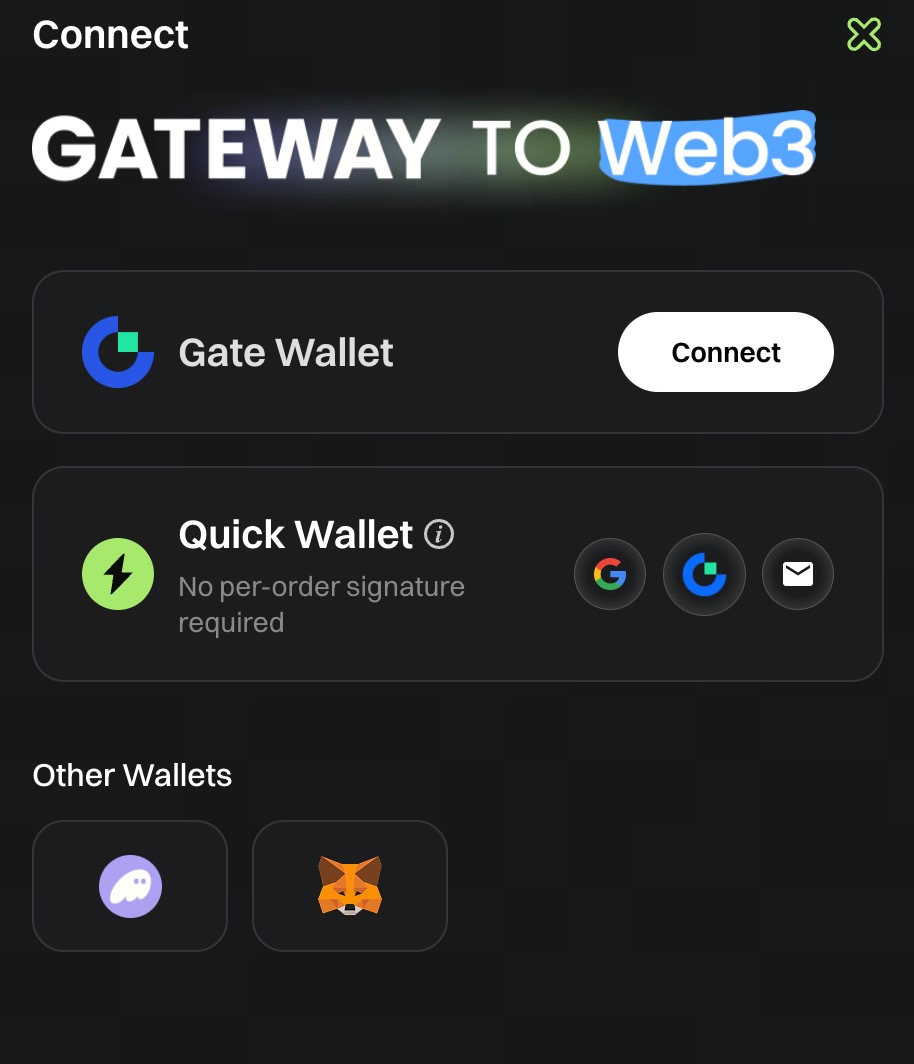
- Connexion via portefeuille Web3
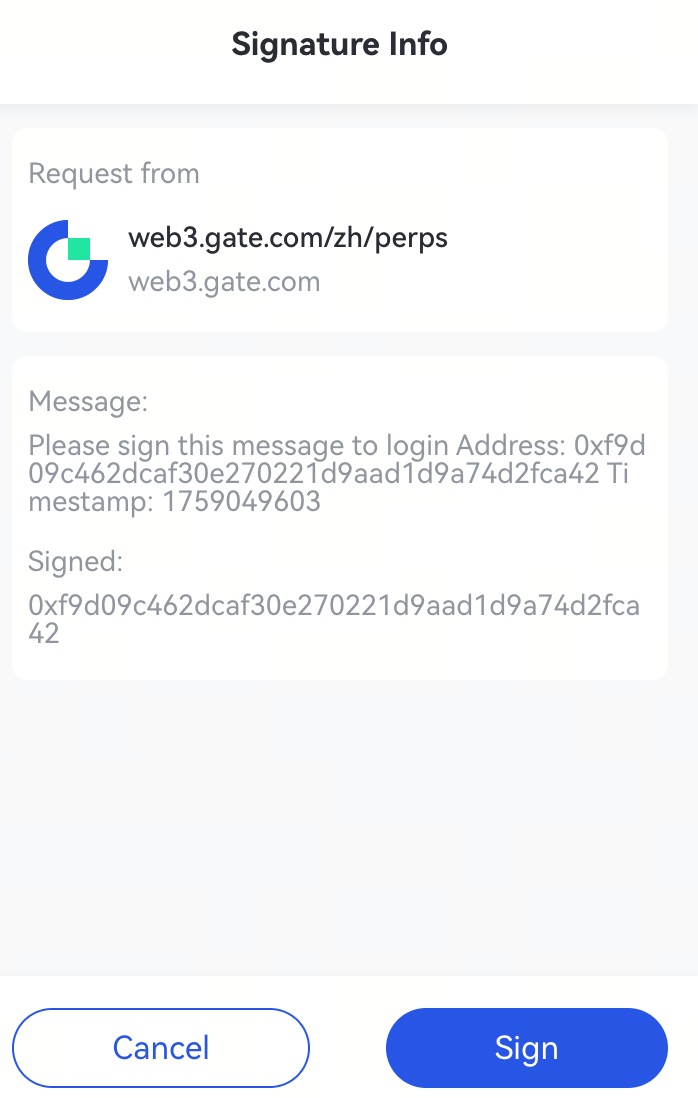
- Sélectionnez Gate Wallet pour vous connecter (exemple présenté avec Gate Wallet ; les autres portefeuilles Web3 suivent la même procédure)
- Cliquez sur « Signer » pour finaliser la connexion
- Connexion par email
Si vous ne disposez pas de portefeuille, vous pouvez vous inscrire et vous connecter via email
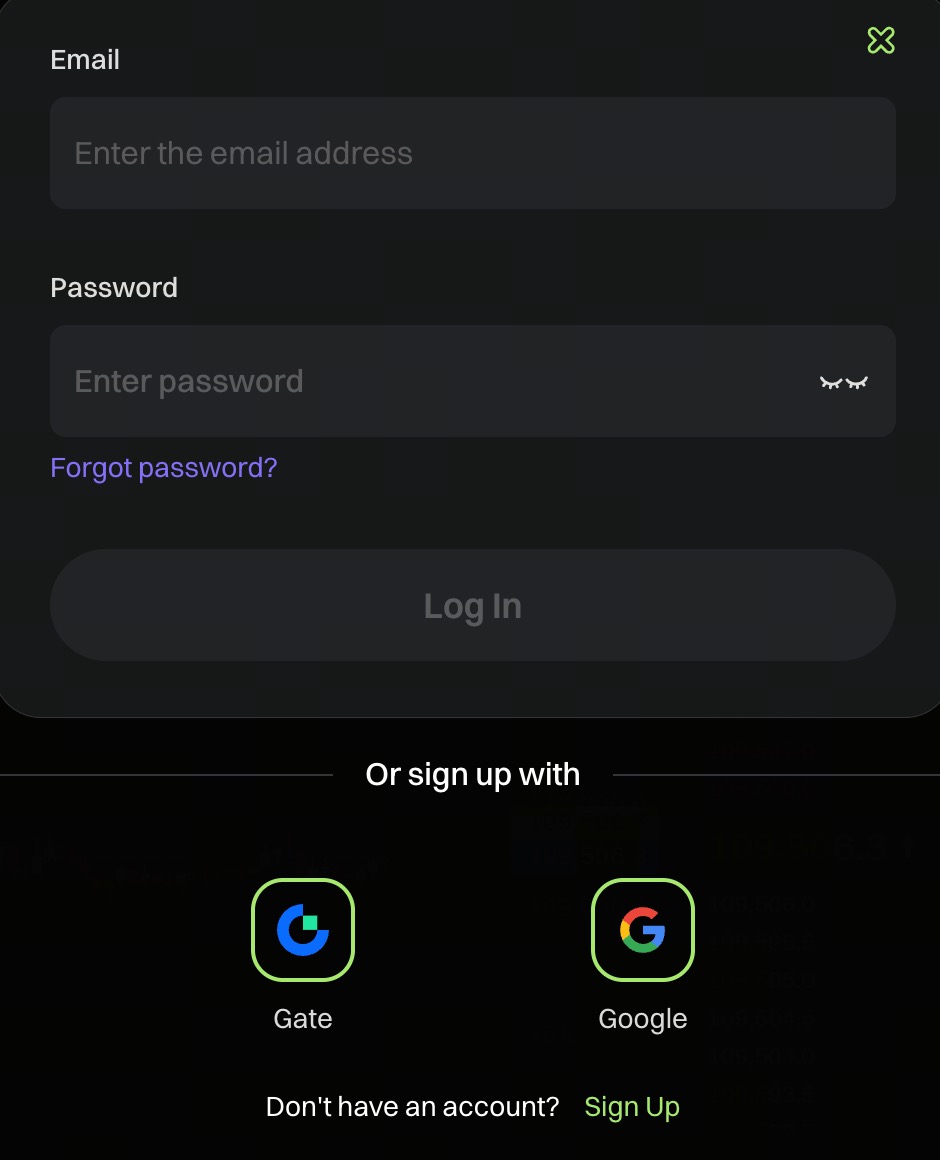
- Cliquez sur « Connecter le portefeuille » puis sélectionnez « Connexion par email »
- Saisissez votre adresse email
- Un code de vérification à 6 chiffres sera envoyé à votre adresse email
- Saisissez le code de vérification pour finaliser la connexion
Après connexion, le système générera automatiquement un portefeuille à clé privée unique pour vous. Veuillez conserver votre clé privée en sécurité et ne jamais la divulguer afin d’assurer la sécurité de vos actifs.
2. Dépôt
Une fois le portefeuille connecté, l’option de dépôt apparaît en haut à droite de l’interface de trading. Cliquez sur le bouton « Dépôt ».
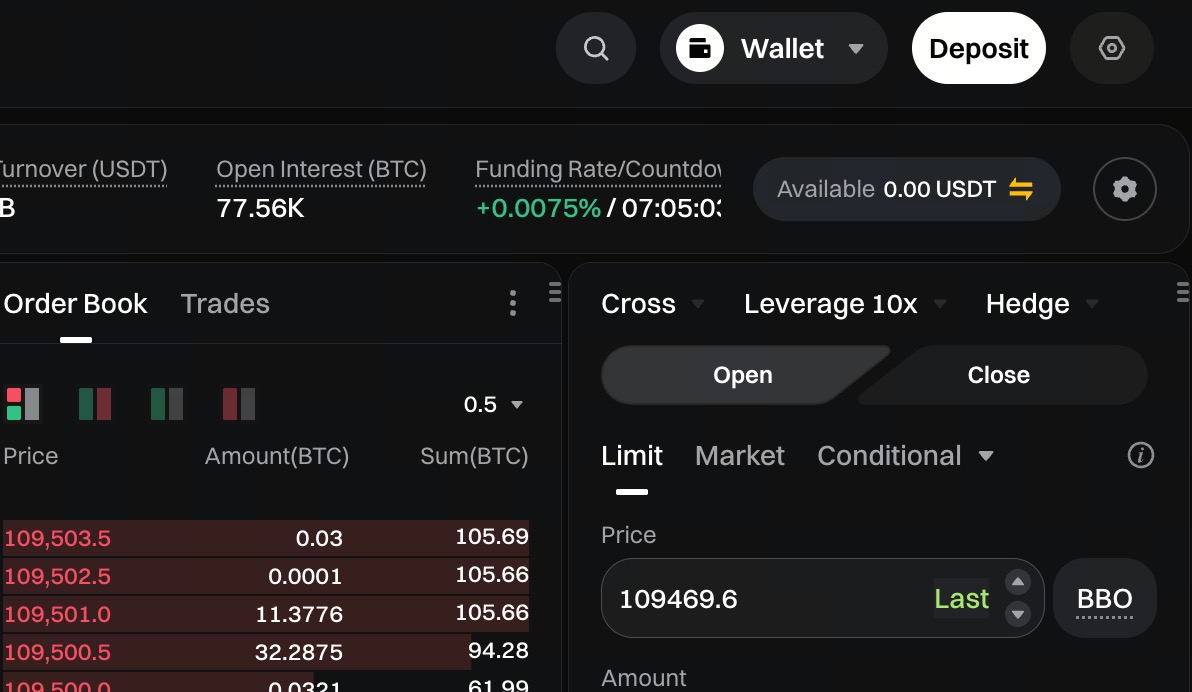
- Sélectionner le réseau : basculez vers le réseau sur lequel vous souhaitez effectuer le dépôt (Solana, BSC, ETH)
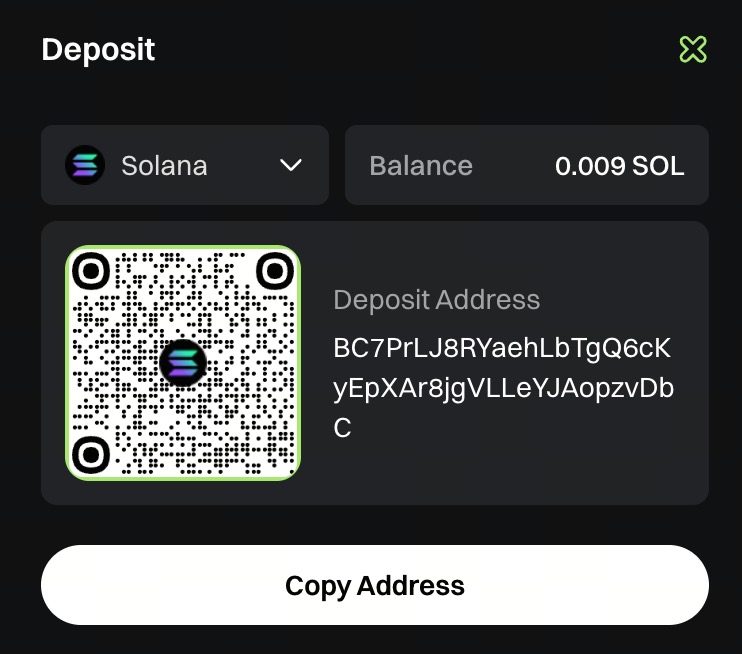
- Copier l’adresse et effectuer le dépôt
- Transférez des USDT depuis votre portefeuille externe ou une plateforme d’échange vers cette adresse
- Veillez à choisir le réseau approprié pour le transfert
3. Consulter les actifs
Pour consulter vos actifs, cliquez sur « Portefeuille » en haut à droite → « Token »
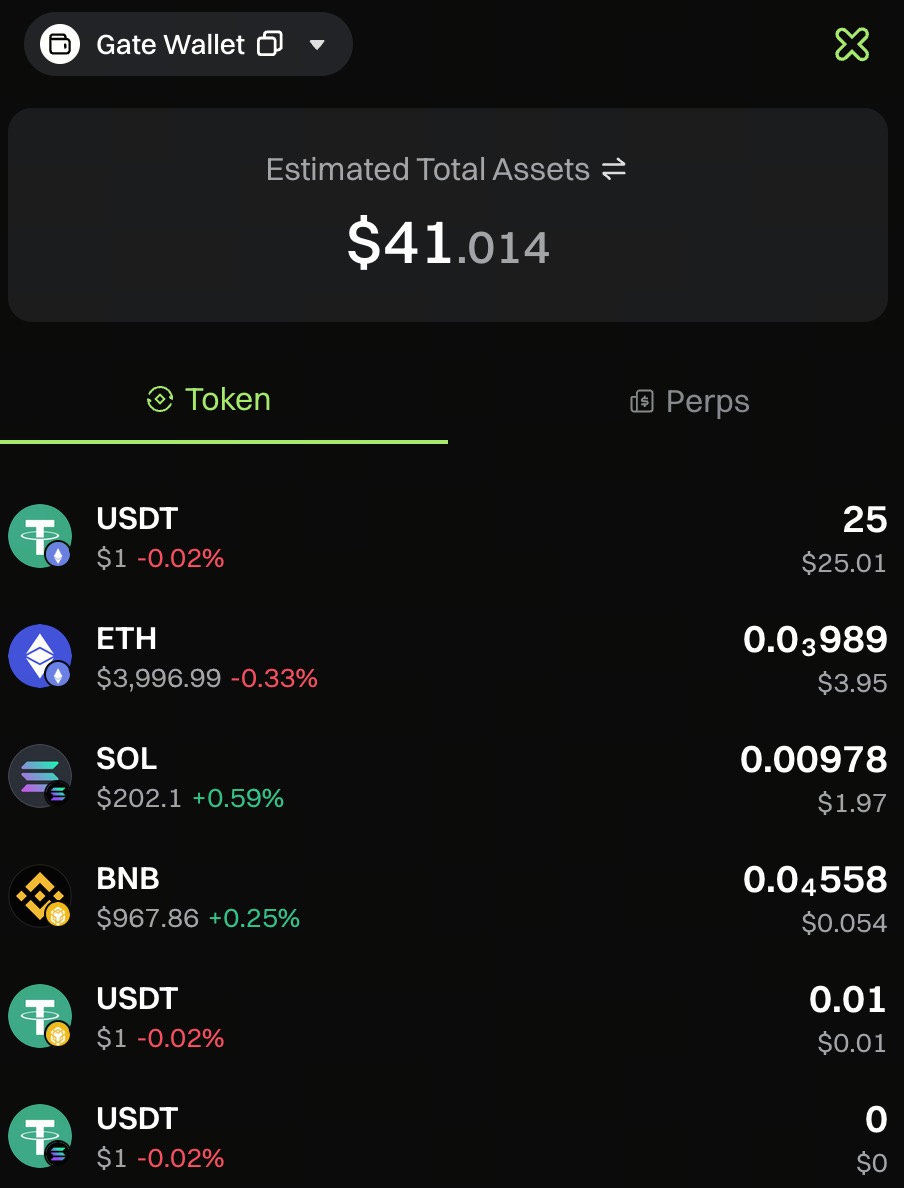
Notes sur le dépôt
- En général, le dépôt est crédité en environ 1 minute
- Les dépôts importants peuvent nécessiter un délai supplémentaire en raison du rééquilibrage des fonds
- Frais : seuls les frais de gas on-chain sont appliqués ; la plateforme ne facture aucun supplément.
- Token de dépôt : USDT. Veuillez vous assurer de déposer des USDT.
4. Transfert d’actifs
Avant de trader des contrats perpétuels, il est nécessaire de transférer des actifs de votre compte Spot vers le compte de contrats correspondant. Les étapes sont les suivantes :
-
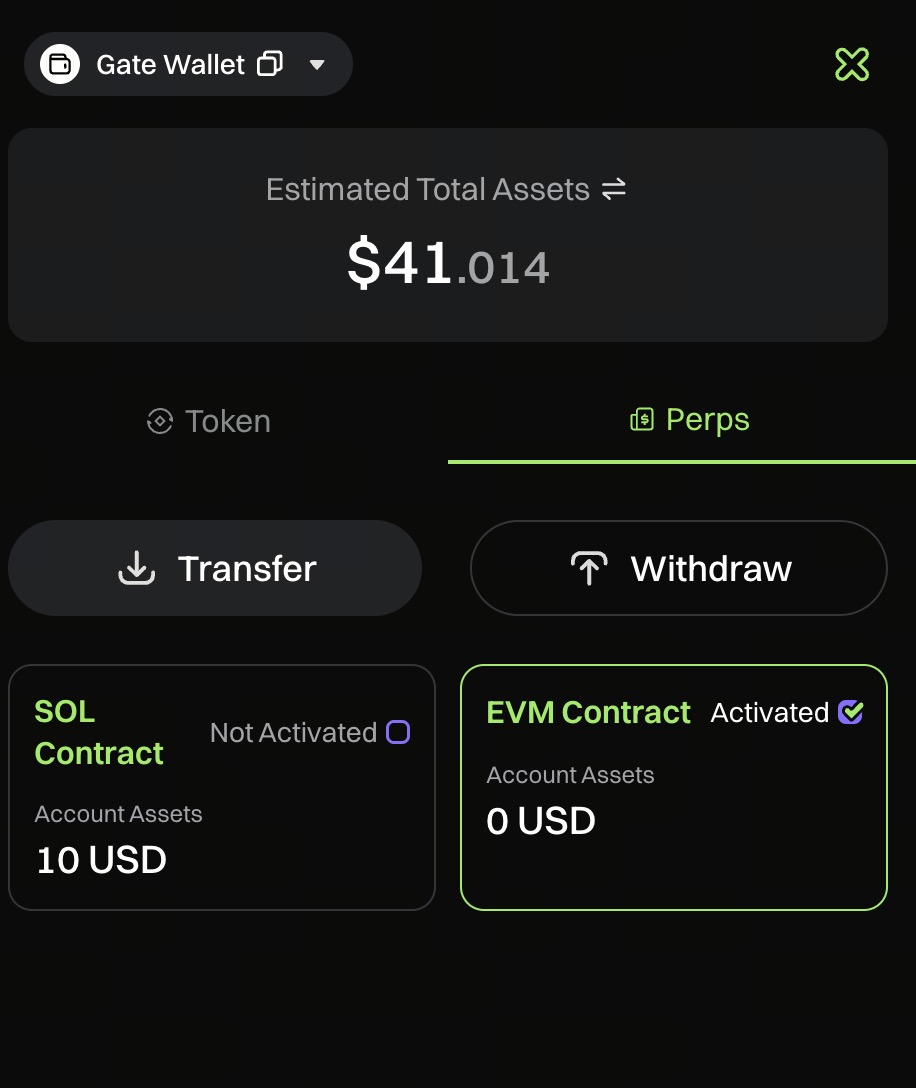
Accédez au portefeuille et cliquez sur « Portefeuille » en haut à droite
-
Sélectionner un compte de contrats
Dans la liste des comptes, sélectionnez le compte de contrats à utiliser :
- Compte de contrats SOL
- Compte de contrats EVM
-
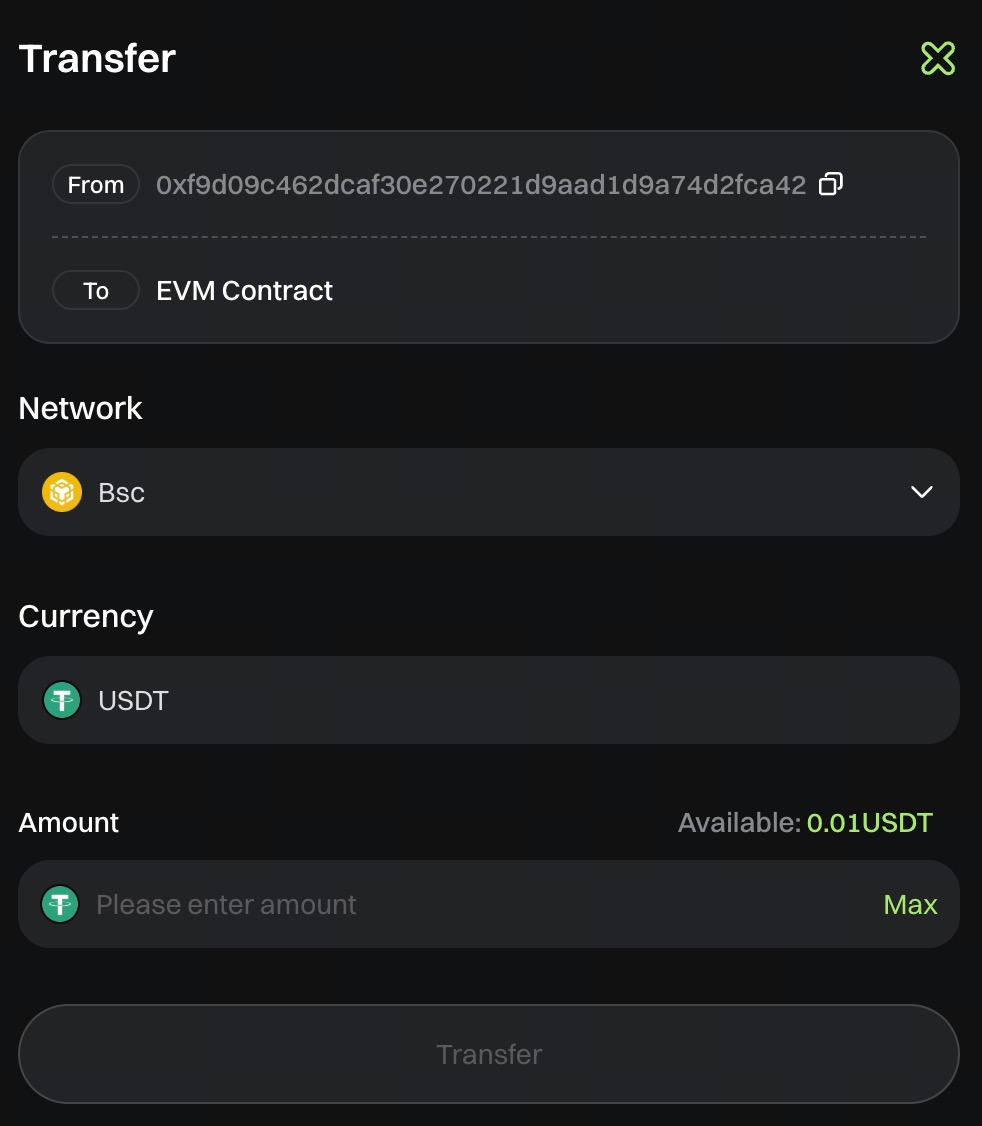
Pour initier un transfert, cliquez sur « Transférer » (ou utilisez le transfert rapide en haut à droite).
-
Renseignez les détails du transfert
- Sélectionnez le réseau de l’actif
- Saisissez un montant ou cliquez sur « Max » pour remplir rapidement l’intégralité du solde de votre portefeuille
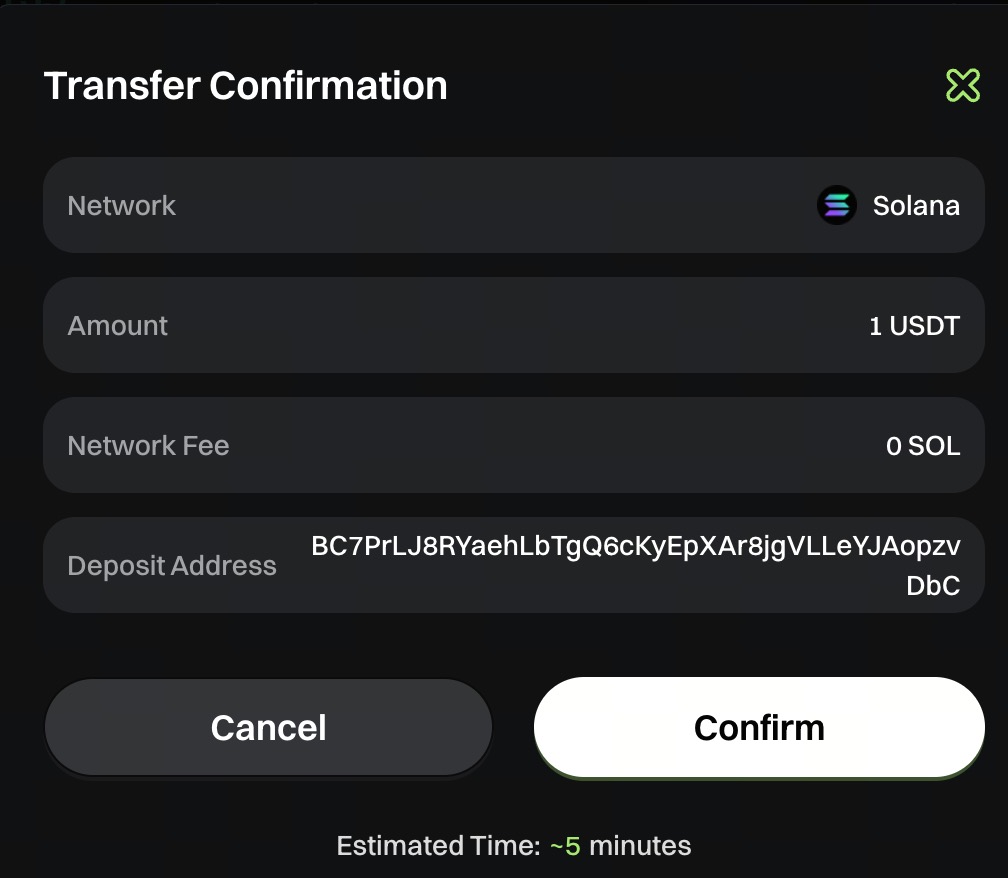
- Confirmez les informations de transfert :
- Vérifiez attentivement que le montant, le réseau et les autres informations sont corrects
- Assurez-vous que votre portefeuille dispose d’un solde suffisant sur le réseau sélectionné pour couvrir les frais de gas. Un solde de gas insuffisant entraînera l’échec du transfert.
- Si vous manquez de gas, vous pouvez cliquer sur le bouton « Dépôt » pour approvisionner votre solde.
-
Après avoir vérifié que toutes les informations sont correctes, cliquez sur « Confirmer ».
-
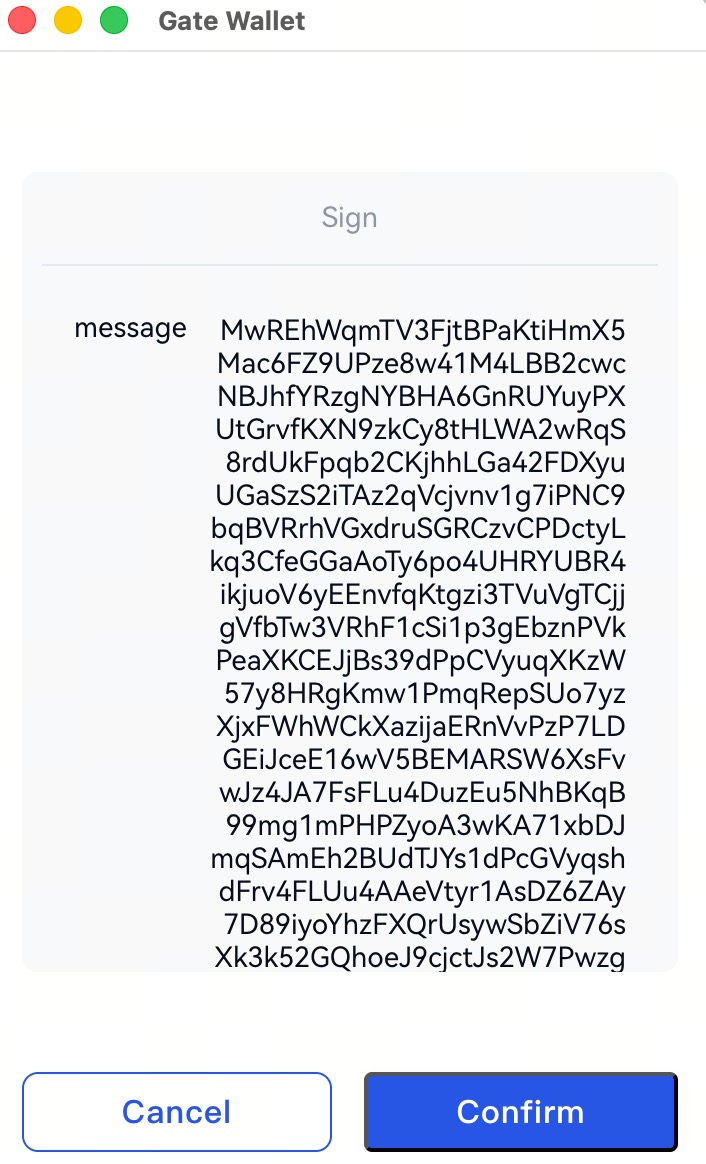
Finalisez le transfert : le système vous invitera à signer via votre portefeuille. Cliquez sur « Signer » pour terminer. Après un transfert réussi, vos actifs seront crédités sur le compte de contrats et vous pourrez commencer à trader.
5. Retrait
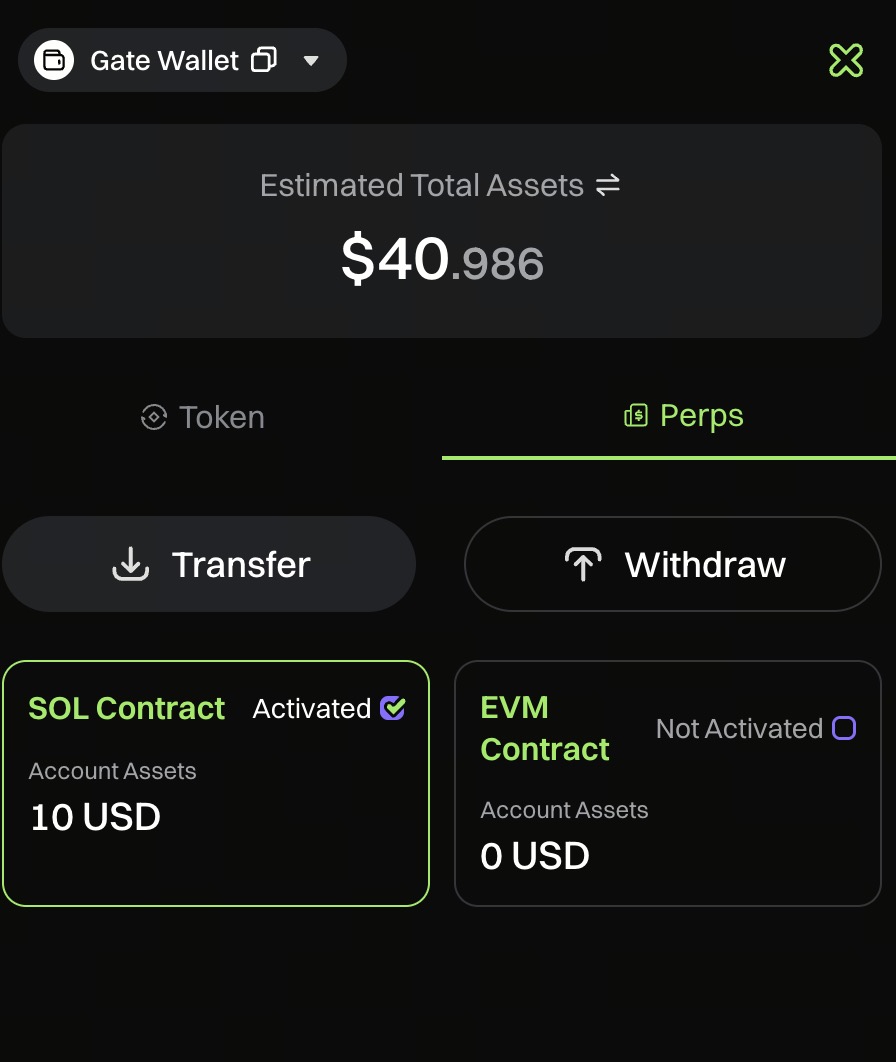
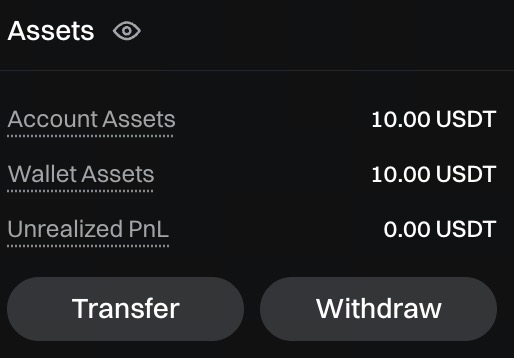
L’accès au retrait se trouve dans « Portefeuille » → « Retirer » ou via le bouton de retrait rapide en bas à droite.
-
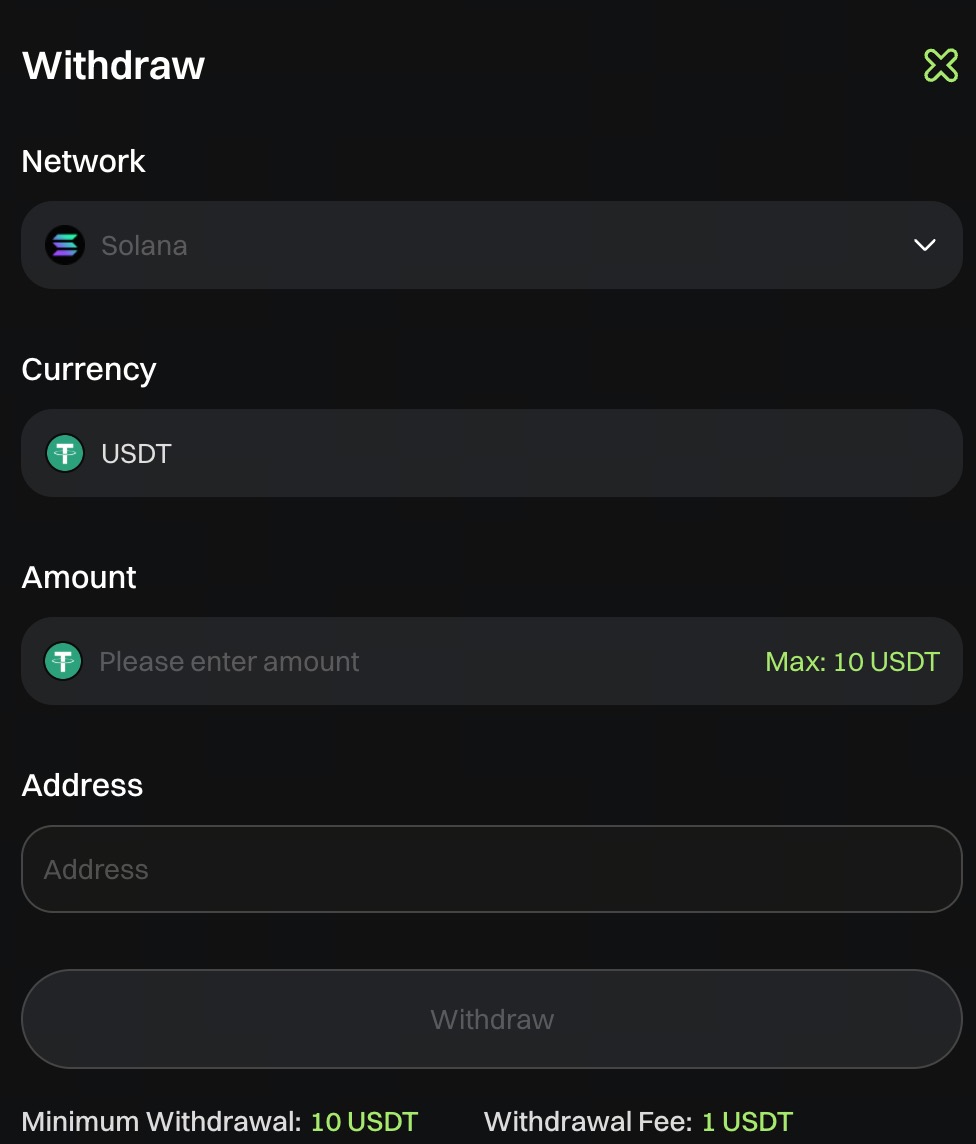
Cliquez sur « Retirer » pour ouvrir la fenêtre de retrait.
-
Renseignez les informations de retrait :
- Saisissez le montant à retirer
- Sélectionnez le réseau de retrait
- Indiquez l’adresse de réception
- Le système affichera le montant minimum et les frais.
- Veuillez confirmer les informations et vérifier attentivement le montant, le réseau et l’adresse de réception. En cas d’erreur, le retrait ne pourra pas être initié.
- Après soumission, le système sollicitera votre portefeuille.
- Confirmez la demande de retrait par signature. Une fois signée, les fonds devraient être crédités sous 5 minutes.
Équipe Gate
29 septembre 2025
Passerelle d'accès aux cryptomonnaies
Tradez plus de 4,500 cryptomonnaies en toute sécurité, rapidement et facilement.
Passez à l'action
Inscrivez-vous et gagnez jusqu'à 10 000 $ de récompenses de bienvenue
Invitez des amis et gagnez une commission de 40%.
Restez connecté
Visitez le site officiel de Gate
Téléchargez l'application Gate
Suivez-nous sur X (Twitter) pour obtenir plus de bonus
Rejoignez notre communauté Telegram pour discuter des sujets d'actualité
Engagez-vous avec notre communauté mondiale pour obtenir les dernières informations.
Transparence et sécurité
Vérifiez notre preuve de réserves à 100 %


